
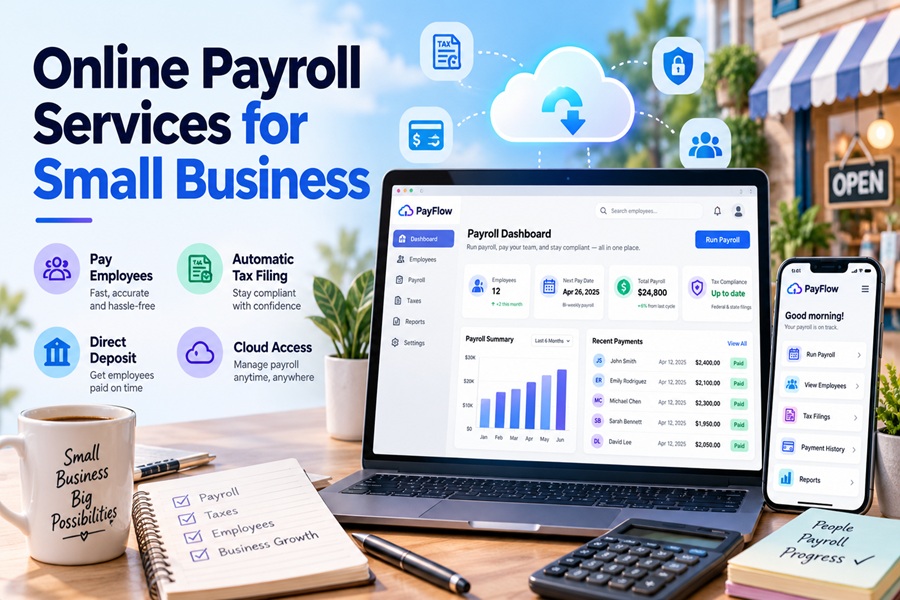
On payday, an employee opens a banking app and sees money that was not there yesterday. For the owner of a small business, that moment is the end of a chain that started days earlier, mostly on screens nobody else sees.
Online payroll services have made that chain feel effortless. They have not made it simple. Following a single pay cycle from start to finish is the clearest way to understand what you are paying for, where the real risks sit, and which features are worth extra money.
A few days before payday: the hours come in
Everything begins with time. Salaried staff are easy, since the system already knows their pay. Hourly workers are where errors creep in.
Most online payroll platforms pull hours from a connected time clock, a point of sale system or a mobile app. Square Payroll reads hours straight from the register. QuickBooks Workforce, the new name for QuickBooks Online Payroll, now offers a payroll AI agent that texts hourly employees for their hours and flags anything that looks off before drafting the run.
This stage matters more than it used to. New federal rules let workers deduct qualified overtime and qualified tips on their income tax returns, and employers now report those amounts on the W-2. Overtime has to be tracked as a premium, separate from regular pay, all year long. A service that only asks for total hours makes that harder.
Approval day: the cutoff that runs everything
Every provider sets a deadline for submitting payroll, and it is the single most important number in your contract.
Standard processing often needs a few business days before payday because direct deposit travels over the ACH network, which moves in batches rather than instantly. Faster options exist. Gusto includes next day deposit on its Plus and Premium plans and sells it as an add on for Simple users. Same day and instant payments are available too, though entry plans may charge a fee for each run.
If your revenue arrives unevenly, a shorter cutoff gives you more room to wait for a client payment before payroll locks in.
The money leaves your account
Once you approve, the service debits your business bank account for two things: net pay for employees and the tax money it must send to government agencies.
Here is where online services differ in ways owners rarely notice until it hurts. Some hold your tax funds until the IRS due date. Others pull them immediately. As of July 1, QuickBooks automatically pays every payroll tax you have set up and withdraws that money at the moment you run payroll, with no manual option left. That is good for compliance but it means a bigger, earlier withdrawal than some owners planned for.
Payday: deposits land and stubs go out
Employees receive direct deposit and a digital pay stub in a self service portal or app. From there they can usually update their address, download past stubs and see year to date totals without emailing you.
Some services now offer earned wage access, where employees can draw part of their pay before the official payday. It can help retention for hourly teams, but check who funds the advance and whether any fees fall on workers.
After payday: the filings nobody watches
This is the invisible half of online payroll. The service deposits federal income tax withholding, Social Security and Medicare through the IRS electronic systems on your required schedule. It also handles state withholding and state unemployment insurance.
Government payments have gone fully digital. Following an executive order, Treasury and the IRS have been moving away from paper checks, and employment tax deposits must go through EFTPS, Direct Pay for businesses or a business tax account. A good online service handles all of this quietly.
It is still worth checking. Your provider usually acts as your reporting agent, but the IRS treats you as the employer. If deposits are missed, the business owes them. Logging in to EFTPS or your IRS business tax account once a quarter to confirm the deposits matches your payroll register is the cheapest insurance available.
Quarter end and year end
Every three months the service files Form 941 and the matching state returns. Each January it files Form 940 for federal unemployment tax, sends W-2s and 1099s, and submits copies to the Social Security Administration.
Year end is when weak systems show their cracks. If you employ people in California, for example, the federal unemployment credit reduction raised the tax by up to $84 per employee for last year, payable with Form 940. A good service applies these adjustments without being asked.
Where online payroll goes wrong
The biggest threat to an online payroll account is not a math error. It is fraud.
Payroll diversion schemes are common. A criminal poses as an employee, emails HR asking to change direct deposit details, and the next paycheck goes to an account they control. Sometimes they log in to the employee portal with stolen credentials and change it themselves. A few safeguards help:
- Require multifactor login for both admins and employees
- Confirm any bank change by phone using a number already on file
- Turn on alerts whenever deposit details are edited
- Limit admin access to the fewest people possible
Data quality is the second risk. A wrong Social Security number, a missed state registration or an old W-4 will flow through every automated run until someone catches it.
Features that are changing the category
AI is moving from marketing copy into actual workflows. Paychex launched its WISE platform in May across Paychex Flex, SurePayroll and Paycor, and recently said early users were seeing fewer payroll errors. Intuit added its payroll agent. Gusto brought in Mosey, a compliance tool focused on state registrations, which matters for remote teams hiring across state lines.
Pricing is shifting too. Gusto raised its Simple plan base fee from $40 to $49, and QuickBooks raised per employee fees for new Workforce subscriptions in July. Expect the base fee you sign up at to change, and budget accordingly.
What the cycle tells you about choosing a service
Walking through a full pay cycle makes the buying decision clearer. You want reliable hour capture for hourly workers, a cutoff that suits your cash flow, tax funds handled in a way you understand, solid security around bank changes, and filings you can verify yourself.
The online part is what makes payroll fast. The service part is what keeps it correct. The best providers for small businesses deliver both, and they make it easy for you to check their work.